Official partner of:
How much does a podcast cost? The ultimate podcast cost check
A podcast is the ideal marketing tool for increasing your brand's visibility and establishing a direct connection with your target audience. Perhaps your head is already full of creative ideas, but one question remains: How much does a podcast actually cost?
Of course, there is no blanket answer to this question. After all, every company has different requirements and goals, which have a direct impact on the podcast costs. Nevertheless, there are some basic expenses you should be aware of before you start your podcast.
In this article, you will not only get a comprehensive overview of podcast costs, but also our personal recommendations for smooth podcast production!
All podcast costs at a glance
How much money you should budget for your corporate podcast depends primarily on your goals and your expectations in terms of the quality and reach of your production.
In principle, there are two types of costs associated with a podcast: on the one hand, the one-time costs and, on the other hand, the recurring costs.
Here is a brief overview of the most important podcast costs:
One-time costs
- Quick transmission of company news, updates, and events.
- Team building through podcast episodes about team successes and workshops
- Online workshop training and continuing education for employees
- Communicating corporate values through employee interviews
- Feedback culture in the form of Q&A sessions for employee questions or feedback surveys after podcast episodes
Running costs
- Employer branding to attract potential applicants and position your company as an attractive employer.
- Increase brand awareness through podcasts and guest interviews
- Product and service promotion through user stories and testimonials
- Demonstrate expertise with expert interviews and discussions
One-time podcast costs
More and more companies are now turning to video. First, we'll show you what one-time expenses you should budget for your podcast! This includes, for example, the basic hardware you'll need for the upcoming recordings.
microphone
-
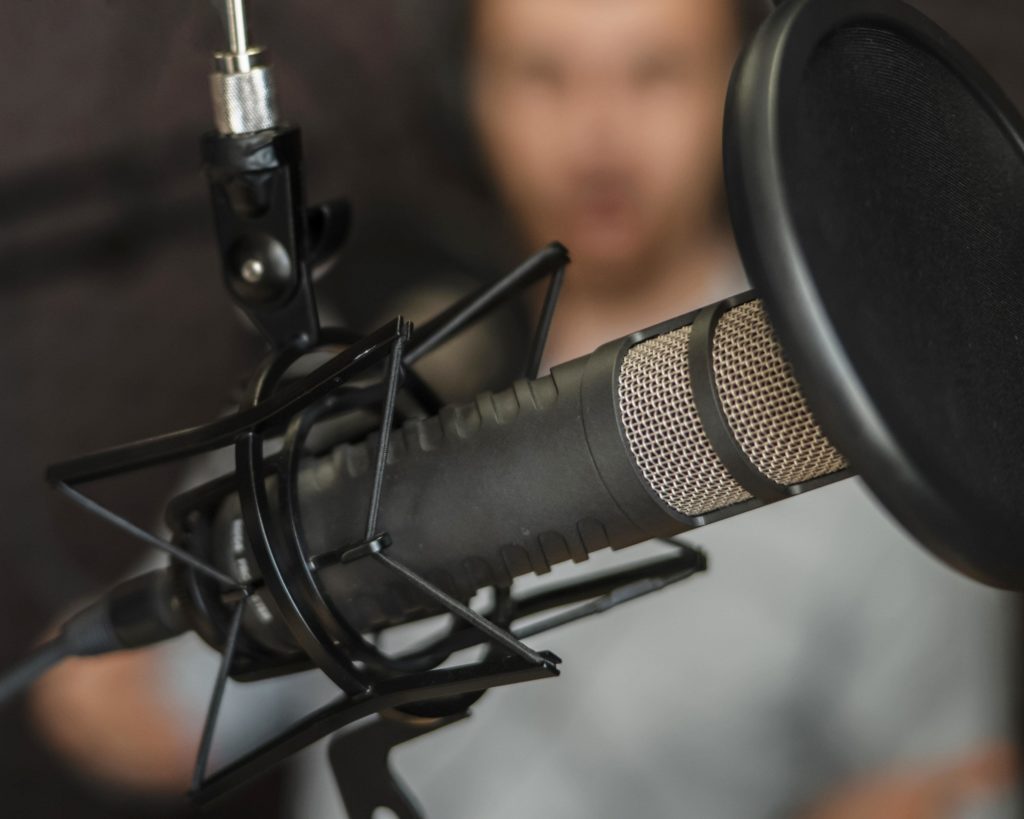
Let's start with the most important tool of all: the microphone! Because without a microphone, there are no recordings—at least not high-quality ones. There are now countless microphones on the market.
But how much should or can a good microphone cost? Basically, the answer to this question depends on your budget and level of experience.
These are our top 3 microphone recommendations – tailored to different requirements and levels of experience:
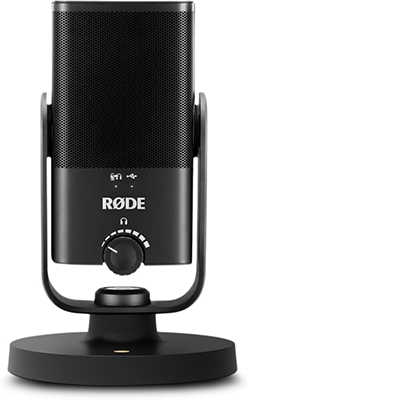
For beginners – RØDE NT-USB Mini (approx. $115)
Ideal for podcast beginners and home offices: for its affordable price of under $100, this microphone delivers truly excellent audio quality. Its simple plug-and-play installation also makes it very user-friendly—once unpacked, the microphone is ready to use right away.
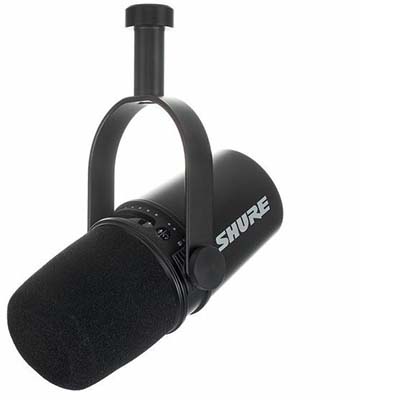
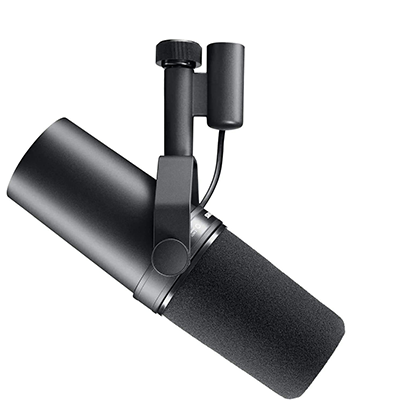
For all-rounders – Shure MV 7 USB (XX)
We primarily use this microphone, inspired by the legendary SM7B, for webinars and online podcasts. The device has excellent sound quality, filters out background noise, and is super easy to use.
For professionals – Shure SM7b (approx. $450)
The Shure SM7b microphone is a little more expensive, but it is also considered an absolute game changer in the field of microphone technology. We have been using this device for our own studio productions for some time now and are still impressed by the sound quality and versatile settings options.
headphones
- Kopfhörer sind beim Podcasten ein Must-have, vor allem für das Monitoring</b< während der Audio-Aufnahme. Dadurch kannst Du Störgeräusche sofort erkennen und eliminieren, um sicherzustellen, dass Deine Stimme klar und deutlich aufgenommen wird. Grundsätzlich hängt die Antwort auf diese Frage von Deinem Budget und Erfahrungslevel ab.
At NextGen Podcast, we rely on the following models:
In-ear – JBL Tune 110 (approx. $11.99)
The Basic In-Ear Headphones are super affordable and comfortable. We use them especially for monitoring online podcasts when we want to save space.
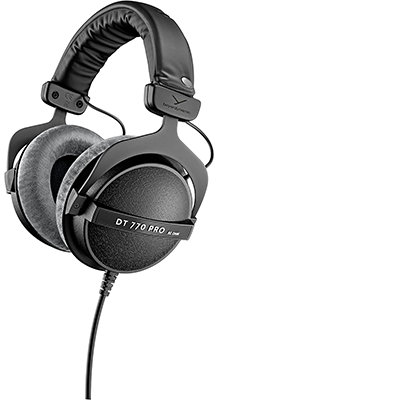
Over-ear – beyerdynamic DT 770 PRO 80 ohms (approx. $159)
A classic in the podcasting world and our absolute favorite! We have been using Beyerdynamics for years to record podcasts because they not only offer high quality for post-production, but also have style.
Podcast accessories
In addition to a microphone and headphones, there are a few other tools that are worth investing in to optimize your podcast production and complete your setup.
Microphone arms
- Microphone arms allow flexible positioning of your microphone for optimal sound recording during podcasting.
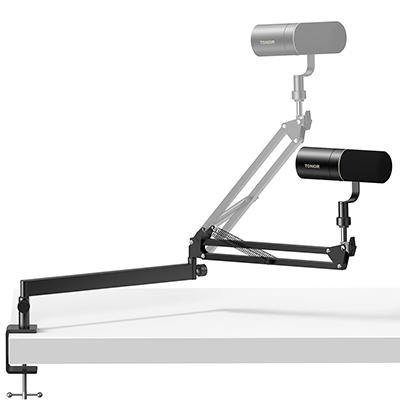
For beginners – TONOR Low Microphone Boom (approx. $30)
Space-saving and can be conveniently extended from the bottom of the computer screen so that your view is not obstructed. It also offers individual adjustment options for the optimal angle and robust quality.
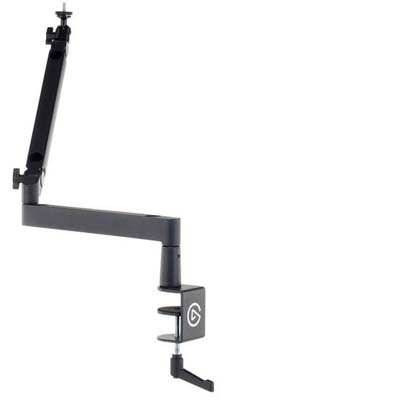
For professionals – Elgato Wave Mic Arm LP (approx. $105)
High-quality premium tool with tension-adjustable joints and state-of-the-art design. The microphone arm can be rotated 360 degrees and enables crystal-clear audio recording without annoying jerking.
Webcam (+ camera light)
Would you like to add a visual dimension to your podcast and not limit it to just an audio track—in other words, create a "video podcast"? Then you'll need a webcam, of course. Our recommendation?
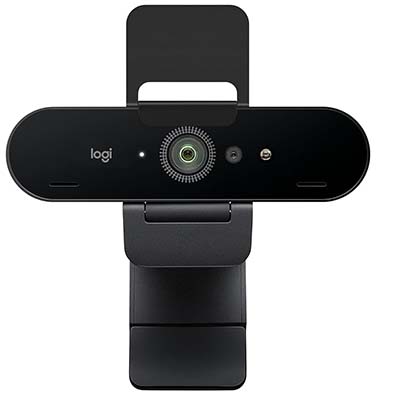
4K webcam – Logitech Brio (approx. $199)
This high-quality streaming webcam offers professional video quality in Ultra 4K HD and 5x HD zoom with automatic light adjustment. Our first choice for creating video podcasts!
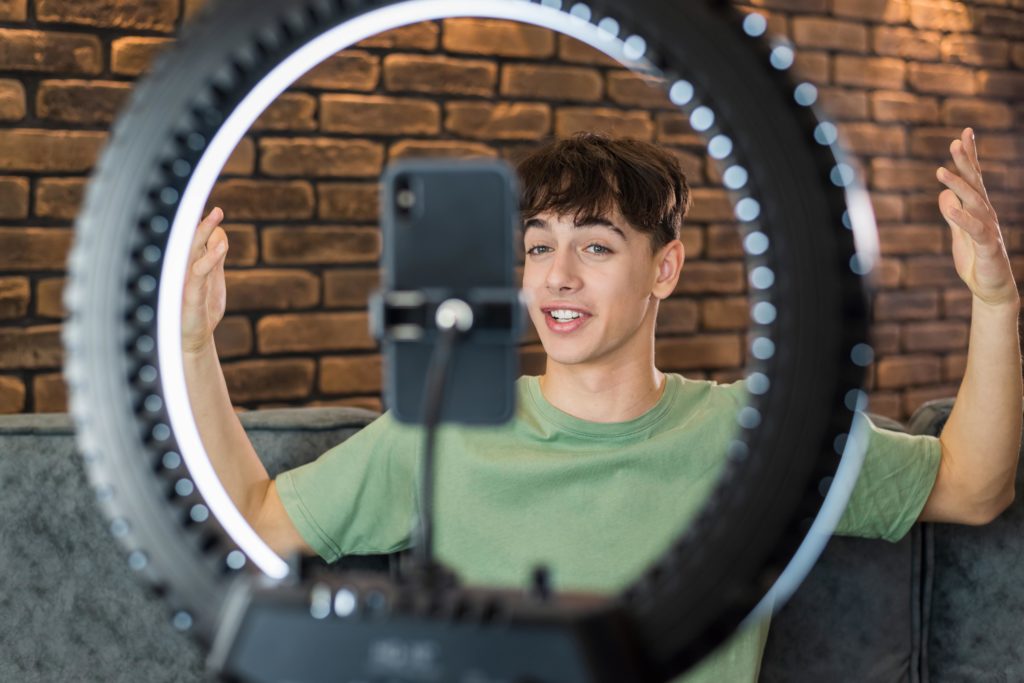
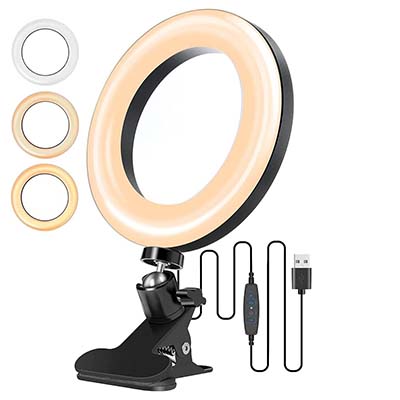
Camera ring light – Electric Giant (approx. $20)
To give viewers of your video podcast a captivating visual experience, you should of course also pay attention to lighting.
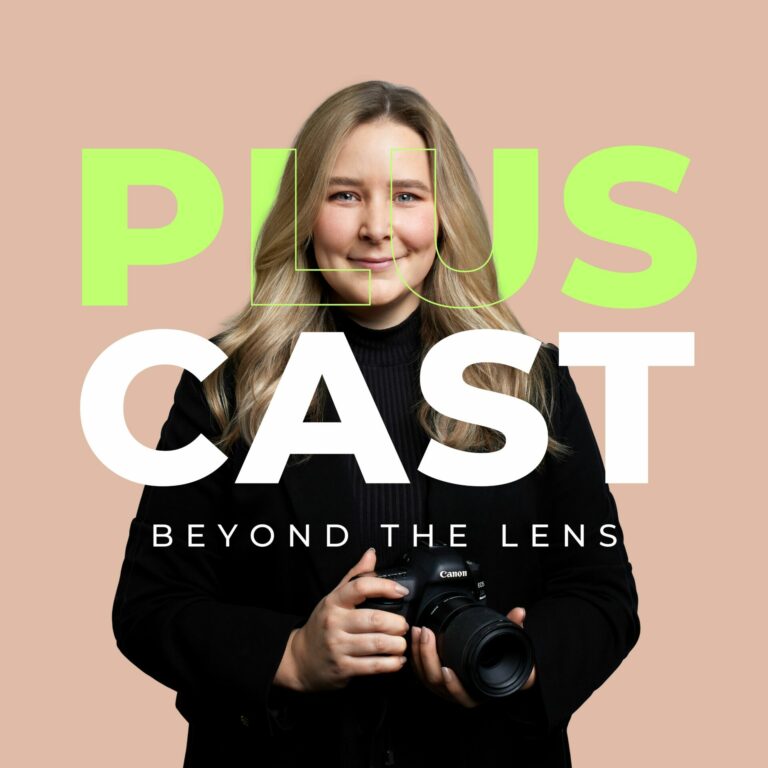
Podcast cover
- The podcast cover is essentially your visual business card. Therefore, you should not neglect it, because as the saying goes: First impressions count!
- A good cover should therefore capture the essence of your podcast while piquing the curiosity of your listeners.
- INFOBOX: Make sure your cover complies with the guidelines of Apple Podcasts & Co.!
- To ensure that your podcast can later be published on all popular platforms such as Apple Podcasts, Spotify, and others, it is crucial to comply with the respective guidelines. If the cover does not meet the required standards, there is a risk that your podcast will be rejected by these platforms.
There are various ways to design your podcast cover:
Option 1: Create your own using Canva (free)
If you want to go for the most cost-effective option, you can simply create your podcast cover yourself for free.
In this case, we definitely recommend Canva.
The popular graphic design platform works on a simple drag-and-drop principle and includes a variety of templates and graphic elements that you can use specifically for cover creation.
Under the search term "Podcast Cover," you'll find countless templates on Canva that you can use for inspiration. What's more, the templates there directly comply with Apple Podcast graphic requirements (minimum 1400 x 1400, maximum 3000 x 3000 pixels for iTunes).
Since Canva also offers a free version, you don't have to spend any money here. Or you can calculate your own hourly wage for it. After all, as the saying goes, "Time is money."
Advantage: Canva is the cheapest way to create a podcast cover.
Disadvantage: If you are not a professional in this field, your designs will probably need some optimization.
Option 2: Freelance platform (from $5)
Don't want to do it yourself, but would rather hire someone else to do it? Then you can find someone on various freelance marketplaces such as Fiverr or Upwork .
There you can search specifically for cover designers who sometimes offer their services starting at €5 . If high quality and individuality are particularly important to you, you can find designers on platforms such as 99designs to create a competition in which several designers compete for your favor with their designs. Here you will usually get significantly better designs, but you will also have to spend more money. The design competitions at 99designs start at €289.
Advantage: With a little luck, you can find competent designers for a good price.
Disadvantage: You don't know what you're getting beforehand and can only make limited adjustments to suit your own preferences.
Option 3: You hire a professional designer (from $300)
If you want to get the most out of your podcast cover, you'll need a professional designer . These experts have the know-how and creative experience to create a custom design that perfectly reflects your vision.
Ideally, the designer of your choice will be responsible for your entire corporate design — that is, your website, your logo, and your podcast cover.
The actual cost of a professional designer depends on various factors:
- Designer's experience
- Required license rights
- Scope of project requirements
- Time required
At a rough estimate, you will probably end up with a price between $300 and $1,000 .
Advantage: You receive the highest quality.
Disadvantage: High quality comes at a price.
podcast music
Want to add some cool music to your podcast—like for the intro and outro? Not a bad idea! Having your own track can give your podcast a professional touch and make it more recognizable.
- However, you should always make sure that you do not violate any licensing regulations. So either make sure that you obtain the necessary license for existing music.
- You can browse music libraries such as Soundstrike or PremiumBeat, where you can find the right music for your podcast from a wide range of tracks.
- Depending on the platform and title, you can expect one-time costs of between €15 and €100.
Ongoing podcast costs
In addition to the one-time costs, there are also a handful of recurring podcast coststhat should not be omitted from a realistic calculation.
hosting
To make your podcast accessible to your listeners, you need a platform that serves as a digital home for your episodes. We are, of course, talking about a hosting service where you can store your individual podcast episodes and have the RSS feed created.
You need a hosting provider to publish your podcast on Apple Podcasts, Spotify, Deezer, etc.
We can recommend these two providers with a clear conscience:
LetsCast (from $9 per month)
This hosting provider is the cost-effective solution for quickly getting your podcast onto platforms such as Spotify and others. Perfect for newcomers and unlimited podcast uploads.
Podigee (from $19 per month)
The podcast hosting service, with servers located in Germany, provides podcast players and RSS feeds for Apple, Spotify, Amazon, and more. The platform itself is user-friendly and self-explanatory. You can currently try out the hosting provider free of charge for 14 days.
recording software
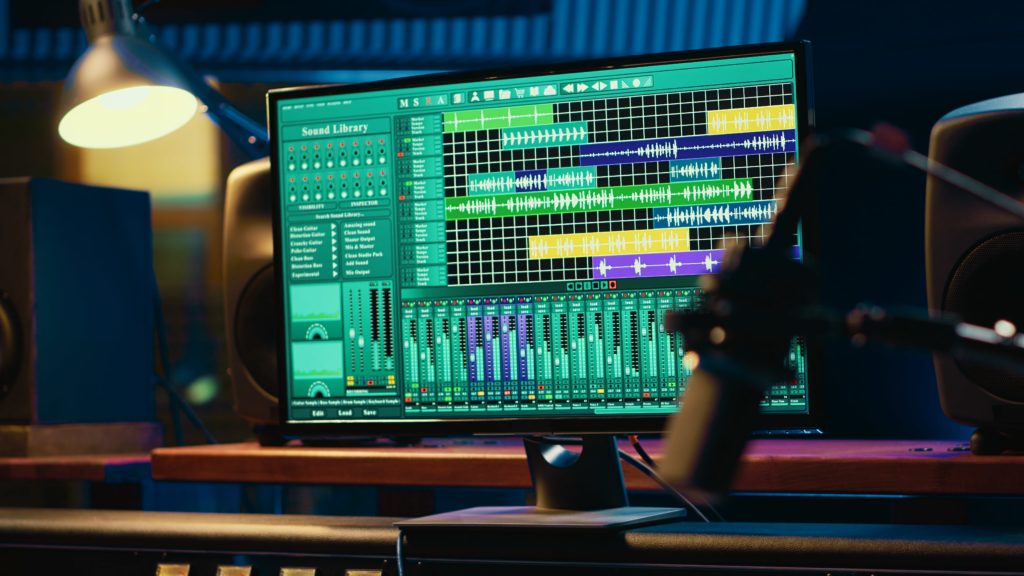
You've got the necessary hardware and are full of motivation to record your first podcast episode. And what do you need for that? Exactly, reliable recording software!
-
If you only have a limited budget, you can use a free recording program. Mac users can use Garageband, and Windows and Linux users can use Audacity software.
Both programs are free and have enough features to create high-quality recordings.
If, on the other hand, you want first-class studio recordings and fast editing functions, then we can recommend Riverside.fm – which, in our opinion, is best recording software in the world!
-
Riverside.fm (from €14 per month): We use the online studio for podcasts and videos every day and can hardly imagine working without this program anymore. You can currently test the Riverside.fm software completely free of charge for 2 hours.
If you are satisfied with it, you can then test the program from €14 per month. We use the "Pro" plan ourselves and always purchase an annual license to save money.
Podcast marketing
You've finished producing your first episodes and now you're looking forward to lots of curious listeners? But wait a minute! There's one important step you mustn't forget if you want your podcast to make as big a splash as possible in the online world: marketing!
How much money you should budget for marketing your podcast depends, of course, on your financial resources and goals. To increase the reach of your episodes and appeal to a wider audience, you could consider the following marketing strategies, for example:
Advertising on social media platforms
Advertisements on Facebook, Instagram, Twitter, or LinkedIn
Search engine marketing (SEM)
The use of paid ads on search engines such as Google
content marketing
Search engine optimization through the creation of high-quality content such as blog posts, videos, or infographics
It doesn't really make sense to give a flat figure for marketing costs, as the range can vary . Theoretically, of course, you don't have to spend any money on marketing—you can also try to increase the visibility of your podcast organically via social media and search engine optimization (SEO) . However, this also requires a lot of effort and consistency!
Production support
You are already heavily involved in your company and don't have don't have the time to organize and carry out a podcast production yourself?
Then it may well be a good idea to seek professional support on board so that you can continue to focus fully on the core competencies of your business.
But what options are available to you?
Basically, you have the following three options:
- Virtual assistance
- Freelance expert
- Podcast Agentur
Option 1: Virtual assistance (€20 to €35 per hour)
With a virtual assistant (VA for short) is a remote assistant for tasks that you don't want to take care of yourself. VAs are often all-rounders and can therefore take on almost any task (from content creation to accounting to social media).
But of course, there are also virtual assistants who specialize in a particular field—for example, podcasts!
A VA can assist you in the following areas:
- Creation of text descriptions for the episodes
- Writing transcripts
- Publication & marketing of episodes on social media
- Podcast post-production (editing & audio processing)
- Organizing interviews for your podcasts
Advantage: VAs are relatively inexpensive and can often take on many tasks at the same time.
Disadvantage: As a rule, VAs are not professionals in a particular field. In areas such as marketing or sound quality, they are therefore often unable to provide any real assistance.
On Facebook , there are now several groups where you can search specifically for virtual assistants. But always check the references of your applicants!
Option 2: Freelance expert (€50 to €100 per hour)
The effective creation and marketing of a podcast logically requires in-depth expertise. For example, a freelance expert may be a trained media designer in image and sound—or a sound engineer who knows exactly how to record a podcast episode correctly.
So if you primarily need technical support, it usually makes more sense to hire a freelancer who is trained expert in their field.
These may cost more, but they also bring more expertise (and, where necessary, technical equipment) to the table.
Advantage: You receive support from a full-time professional in a specific area (e.g., sound engineering).
Disadvantage: They are not all-rounders and therefore usually only deal with one area.
Option 3: Podcast agency (XXX)
If you are looking for a all-inclusive solution , then a podcast agency is undoubtedly the best choice. An experienced agency understands exactly what it takes to design, produce, and market a podcast.
Behind a podcast service agency is a whole team of creative minds who are dedicated to the success of podcasts every day. That's why an agency can also offer you the entire process from A to Z , so you don't have to go through a whole podcast workshop first.
A podcast agency can perform the following tasks for you:
- Concept and idea development for the podcast
- Recording and production of podcast episodes
- Editing audio content
- Creation of graphics and design for podcast artwork
- Publication on various platforms (e.g., Spotify and Apple Podcasts)
- Management of hosting services and RSS feeds
- Development of a marketing strategy
- Social media management and promotion
- Monitoring and performance analysis
Here you get what you might call the "turbo starter" for your podcast, so you don't have to laboriously familiarize yourself with the whole subject first. Instead, you can hand over the entire process to professionals and focus on other areas.
Since an agency brings along an entire team, there is an expert for every area:
Sound engineers ensure optimal sound quality, graphic designers create appealing designs, and marketing professionals promote your podcast. Everyone has their own area of expertise.
The amount of the costs of a podcast agency depends on various factors, including the type and scope of services you need, as well as the agency's individual pricing models.
Advantage: Professional support for the production, editing, and marketing of your podcast all at once.
Disadvantage: Long-term project that requires considerable financial resources and therefore needs to be well planned.

Podcast costs – a conclusion at the end
Now that you have an idea of the potential costs of a podcast, it is ultimately up to you to decide whether a podcast makes sense in your case.
Is your business already running successfully? Then it's smart not to tackle the podcast workflow yourself, but to rely on expertsso that you can continue to focus fully on growing your core business. Otherwise, tasks such as designing, editing, and publishing episodes could eventually become too much for you to handle. A podcast requires time and money, so good planning is essential.
Ready to share your podcast with the world—without a lot of effort? We are happy to support you with your project—and take care of everything from conception and production to marketing!
Book a free initial consultation with us to find out how we can professionally turn your podcast idea into reality.